دليل الطالب
إزاي بتذاكر على Thinkera
الدليل ده بيشرح طريقة المنصة نفسها، مش منهج واحد. أي منهج هنا — برمجة، إنجليزي، إدارة، أي حاجة — مبني بنفس الطريقة ومعروض بنفس الشكل، فاللي هتتعلمه في الصفحة دي بيمشي معاك في كل منهج تفتحه.
الوحدة الأولى كاملة بكل دروسها مجاناً.
اللي في الدليل
١ · الطريقة
قبل ما تشوف الأزرار، اعرف المبدأ — لأنه هو اللي بيفسّر ليه الشاشات على الشكل ده.
كل منهج على المنصة بيبدأ من المقرر الرسمي اللي بتدرسه: دروسه، وترتيبه، ومصطلحاته. ده الأساس وما بنغيّرهوش. وبعدين بيتضاف عليه:
دروس المقرر
كل درس في المقرر بيتحوّل لدرس كامل على المنصة: شرح بالفيديو، وملفات، وتدريب، وأسئلة. الترتيب ترتيب المقرر، والمصطلحات مصطلحاته.
دروس إضافية عند الحاجة
لو في حتة المقرر بيعدّي عليها بسرعة وإنت محتاج تفهمها أعمق، أو مهارة عملية بيفترض إنك عارفها ومش بيشرحها، بيتضاف لها درس إضافي. بيبان في المنهج بعلامته، فإنت عارف إنه زيادة مش أساس.
تفكير مش حفظ
الأسئلة هنا مش بتسألك تفتكر، بتسألك تفسّر وتقارن وتقرّر. والإجابة النموذجية بتقول لك الادعاء والسبب والدليل وحدوده، مش سطر واحد تحفظه.
٢ · شكل المنهج
نفس الشكل في كل منهج: وحدات جوّاها دروس، وفي آخر كل وحدة امتحان.
الوحدة
مجموعة دروس على موضوع واحد. والوحدة الأولى في أي منهج مفتوحة بالكامل من غير فلوس — كل دروسها، مش أول درس.
الدرس
الوحدة الأساسية اللي بتذاكر فيها. جوّه كل درس أربع خطوات هتشوفها في القسم الجاي.
الدروس بتتفتح بالترتيب
الدرس اللي بعده بيتفتح لما تخلّص اللي قبله. مش تعقيد: المنهج مبني على بعضه، والدرس الرابع بيفترض إنك عارف التالت.
و«تخلّص» يعني حاجة واحدة: تجيب ٧٥٪ فأكتر في «تدريب: مستوى متقدم» بتاع الدرس. مش مطلوب تفتح كل ملف ولا تخلّص كل نشاط — المطلوب تثبت إنك قادر على أصعب تدريب في الدرس. والمحاولة مش واحدة، واللي بيتحسب أعلى درجة، فلو مجبتهاش من أول مرة ارجع للشرح وحاول تاني.
ده الشرط الافتراضي، والمدرب يقدر يغيّره لدرس معيّن: ساعات بيطلب وحدة كاملة قبل ما يفتح درس، وساعات بيسيب لك الاختيار بين أكتر من نشاط ويكفي تخلّص واحد منهم. ومهما كان الشرط، الدرس المقفول نفسه بيقول لك إنت مستني إيه بالظبط — دوس عليه واقرا السطر.
امتحان نهاية الوحدة
بعد ما تخلّص دروس الوحدة، امتحانها بيتفتح بمستويات مختلفة، وبيتحسب بوقته ودرجته.
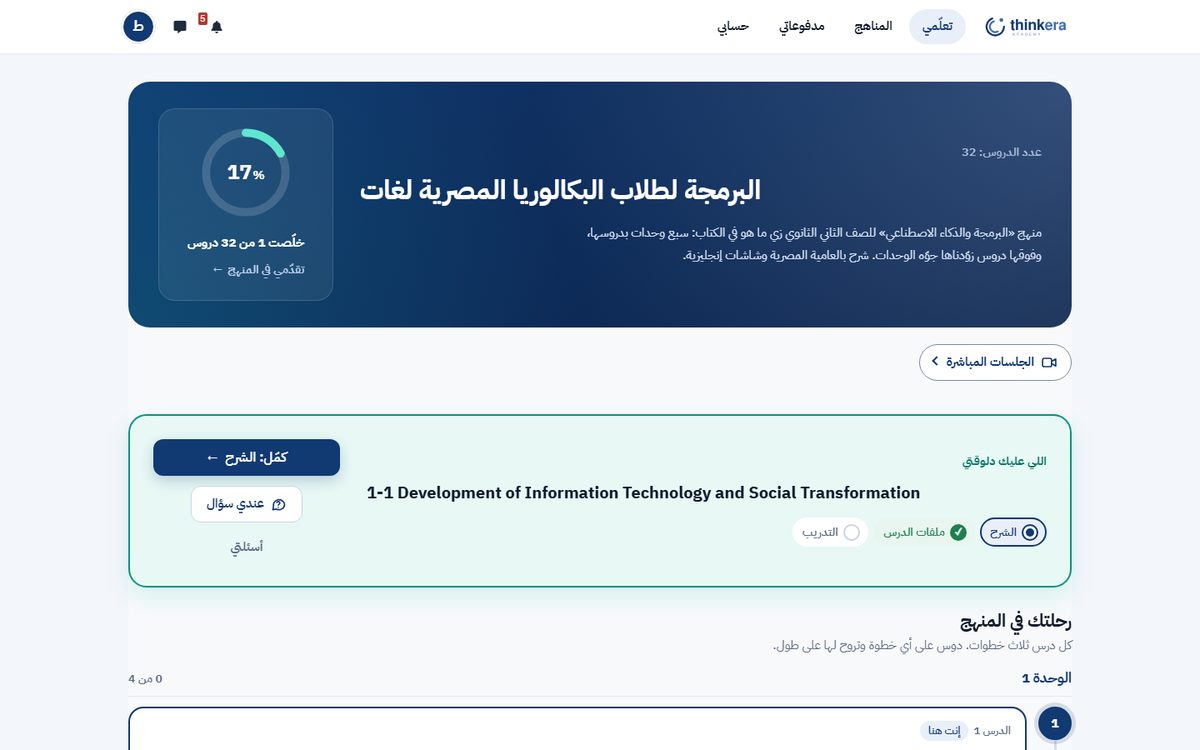
٣ · الدرس وخطواته الأربعة
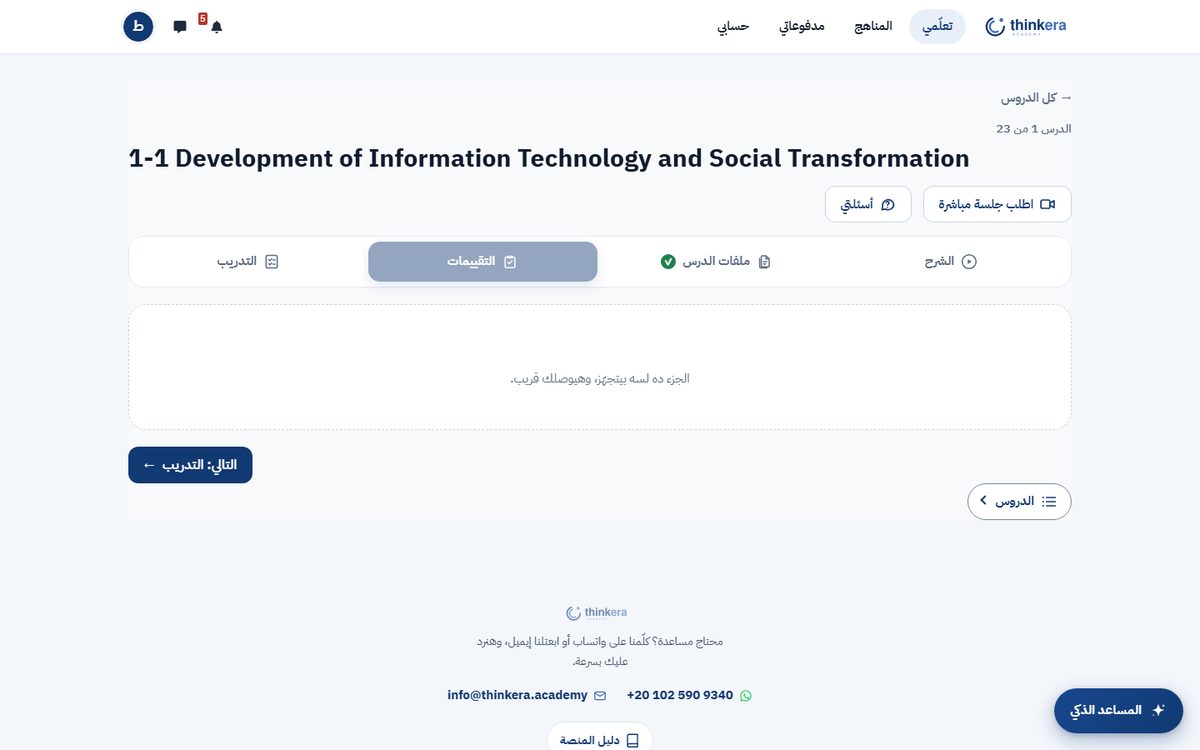
أي درس في أي منهج بيتعرض بنفس الأربع خطوات، وبتنتقل بينها من الشريط اللي فوق.

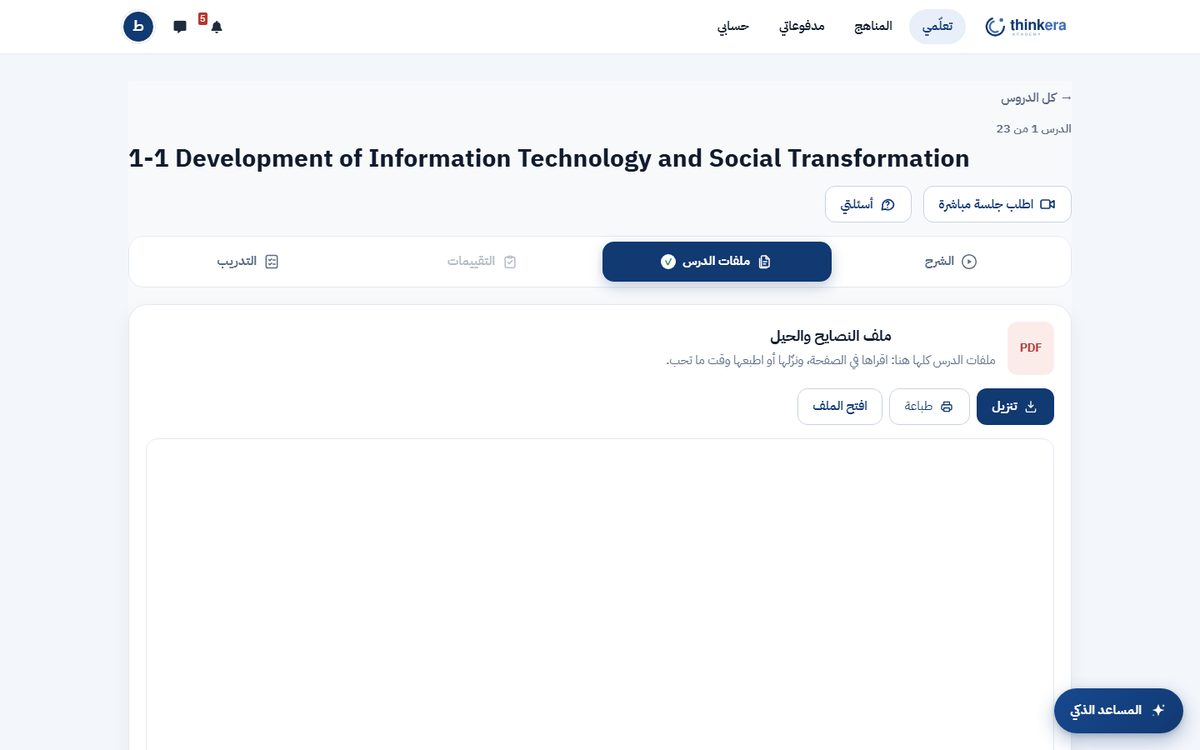

٤ · المساعد الذكي
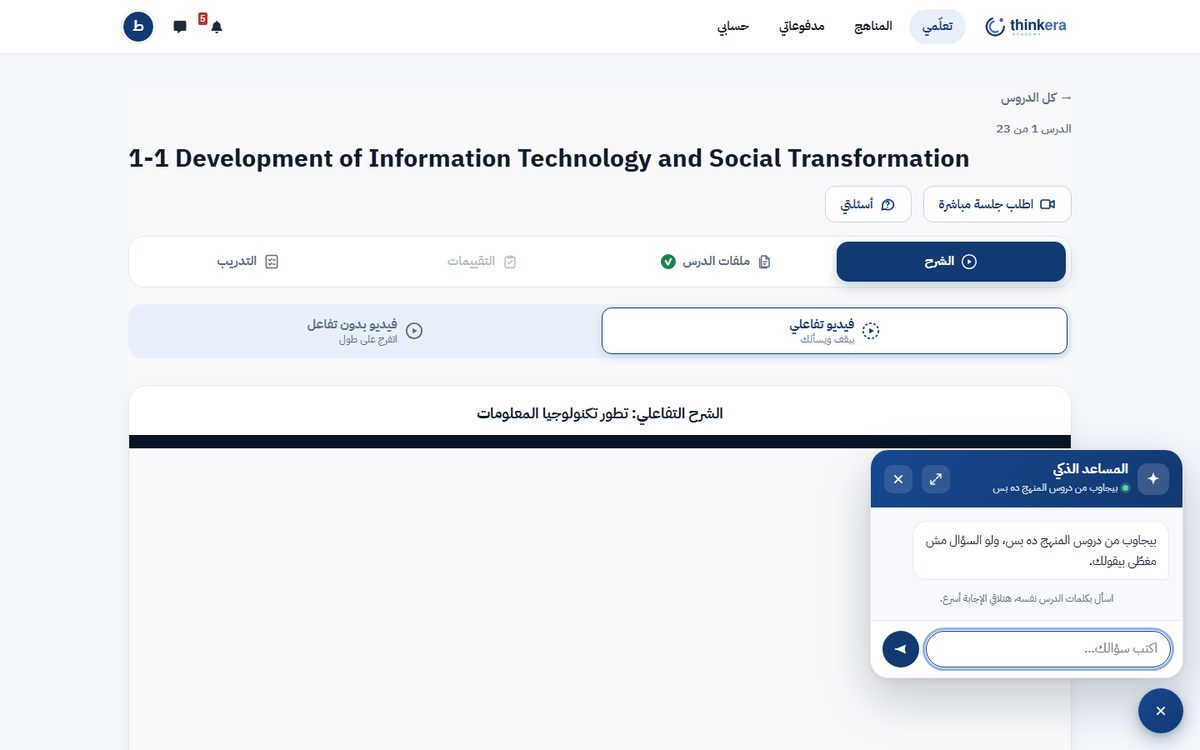
زرار عايم في ركن الصفحة، بيفتح صندوق شات بيجاوبك من دروس منهجك نفسه.
الفرق بينه وبين أي شات بوت تاني إنه بيدوّر جوّه منهجك الأول، وبيقول لك جاب الإجابة منين. وده بيحصل على تلات مراحل:
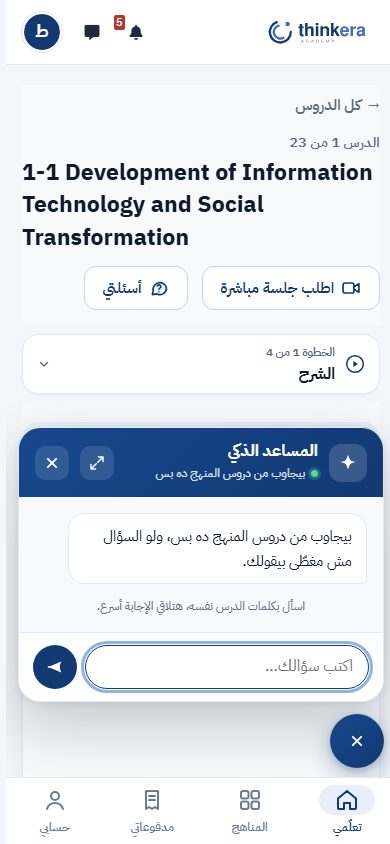
بيعمل لك إيه بالظبط
بيفهّمك حتة مش فاهمها
اسأل بكلمات الدرس نفسه: «يعني إيه كذا؟»، «إيه الفرق بين كذا وكذا؟»، «اديني مثال». الإجابة بتيجي من شرح الدرس، وتحتها مصدرها.
بيوديك للدرس الصح
لو الإجابة في درس تاني، بيقول لك اسم الدرس، وبيعرض يفتحه لك على طول — بدل ما تدوّر في المنهج كله.
شغّال وإنت بتذاكر
الصندوق بيفتح فوق الصفحة، فتقدر تسأل وإنت في نص الفيديو أو الملف من غير ما تسيب مكانك.
وحاجات مش بيعملها
- مش بيحلّ لك الاختبار. لو سألته سؤال امتحان بالنص، هيفهّمك الفكرة، والإجابة تكتبها إنت.
- مش بيخترع. اللي مش في المنهج بيقول عليه مش في المنهج، ومش بيلفّقه.
- مش بيطلع برّه المنهج من نفسه. ده بيحصل بضغطة منك، والإجابة بتيجي عليها علامة إنها من برّه.
خصوصيتك: الموديل اللي بيجاوبك شغّال على سيرفر الأكاديمية نفسه، مش خدمة خارجية. واللي بيتسجّل هو إن في طلب حصل ومدة الرد بس — لا سؤالك ولا إجابتك بيتكتبوا في أي سجل.
حاجة تفتكرها: المساعد بيساعدك تفهم، مش بيحلّ مكانك. الإجابة اللي بتكتبها في الاختبار لازم تكون بفهمك إنت — وده اللي بيتصحّح.
٥ · التدريب والدرجات
إزاي بتتصحّح إجابتك، وإمتى بتوصلك درجتك — وده اتغيّر: السؤال المقالي بقى يتصحّح وإنت قاعد.
الاختيار من متعدد
بتعرف نتيجتك على طول، ومعاها تعليق على كل اختيار: ليه الصح صح، وليه الغلط غلط. والاختيارات بتبقى بلغة السؤال نفسه — سؤال إنجليزي اختياراته True / False، والعربي «صح / خطأ».
المقالي: زرار «تحقَّق»
السؤال المقالي بقى زيّه زي أي سؤال تاني: تكتب إجابتك وتدوس تحقَّق. الإجابة بتتسلّم، والذكاء الاصطناعي بيقراها قدّامك ويقارنها بالإجابة النموذجية ومعيار التصحيح المكتوبين للسؤال. شريط بيوريك النسبة، والرد عادةً في حدود ربع دقيقة.
لما يكون متأكد: درجتك فوراً
لو الموديل كان متأكد من تصحيحه بنسبة ٩٥٪ أو أكتر، الدرجة بتتحسب وتظهر لك في نفس اللحظة ومعاها الإفادة — ومابتستنّاش حد يعتمدها. يعني تكمّل تدريبك وإنت عارف نتيجتك، وتعيد المحاولة من غير ما تقف يوم مستني.
ولما ما يكونش متأكد: المدرب
أقل من كده، مافيش درجة بتتحسب — وده مقصود: رقم الموديل مش واثق فيه أسوأ من غير رقم. بيظهر لك إن المدرب هو اللي هيقرا الإجابة دي بنفسه ويحطّ الدرجة، وتوصلك لما يخلّص.
وإنت بتحلّ الاختبار: الأزرار تحت السؤال بتقول «السؤال السابق» و«السؤال التالي»، وبينهم زرار واحد «جاوب وانتقل للسؤال التالي» — بيتحقّق من إجابتك وينقلك للسؤال اللي بعده في ضغطة واحدة بدل اتنين.
والتدريبات التفاعلية تحت الاختبارات، من لينك جوّه خطوة التدريب: أنشطة تتمرّن بيها براحتك من غير ما تتحسب عليك درجة.
٦ · تقدّمك
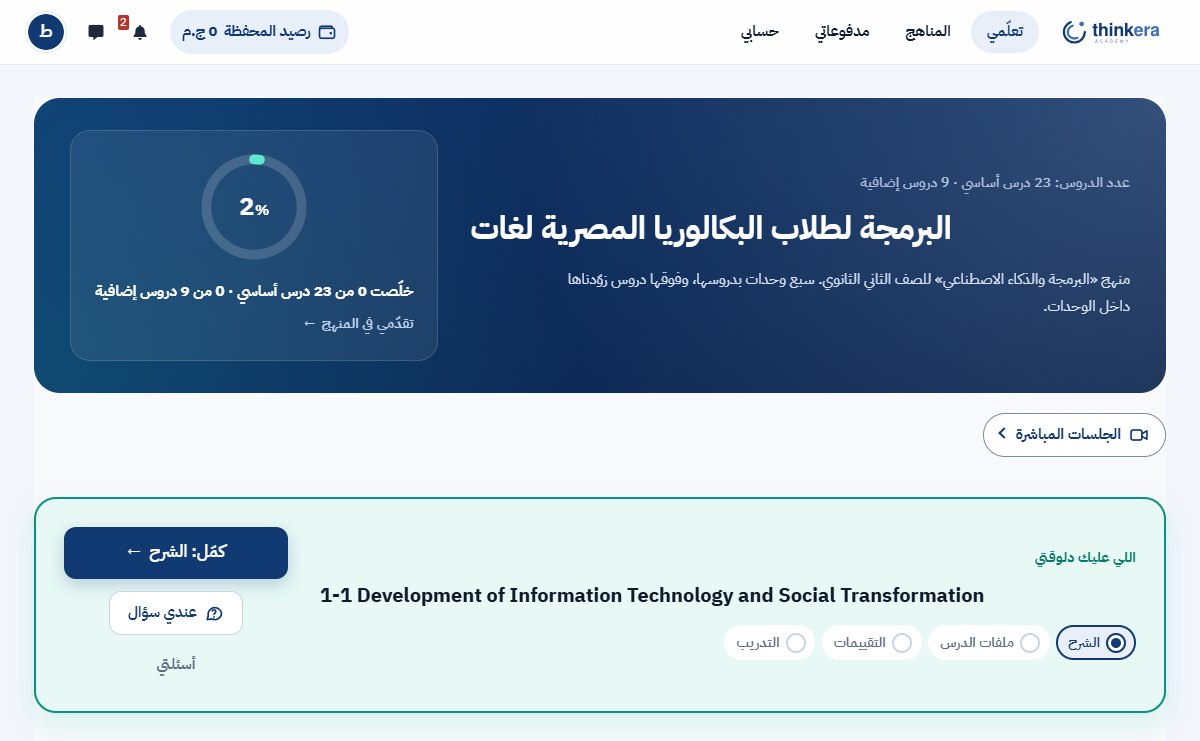
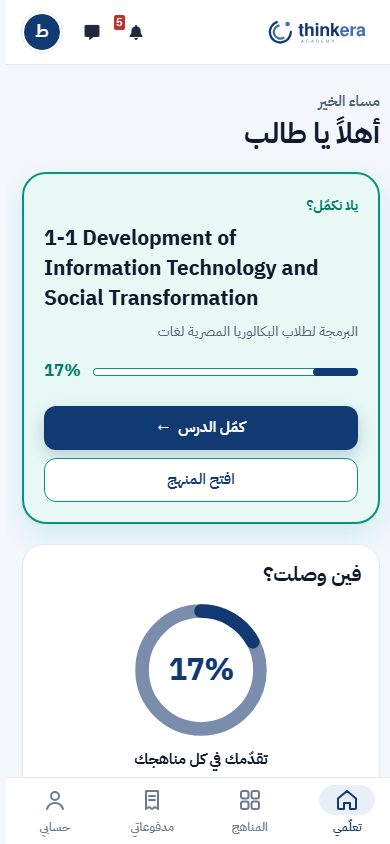
صفحتك الرئيسية بتفتح على السؤال الوحيد المهم: أكمّل منين؟
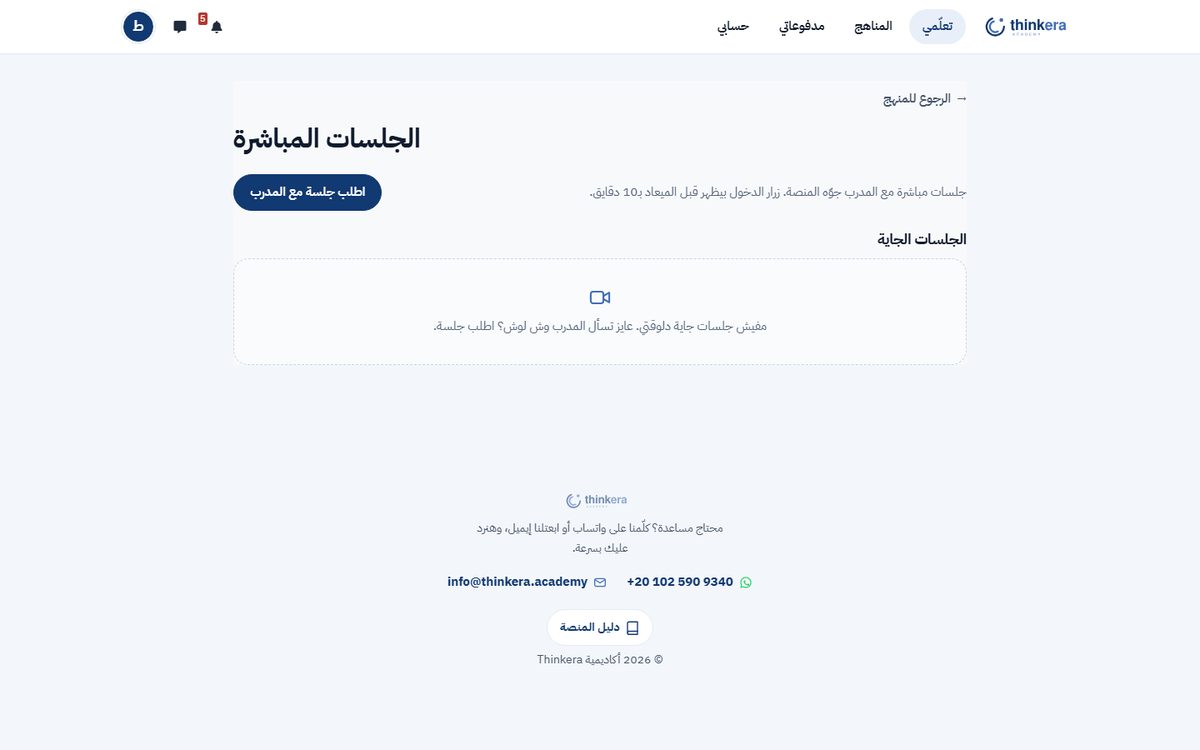
٧ · أسئلتك والجلسات
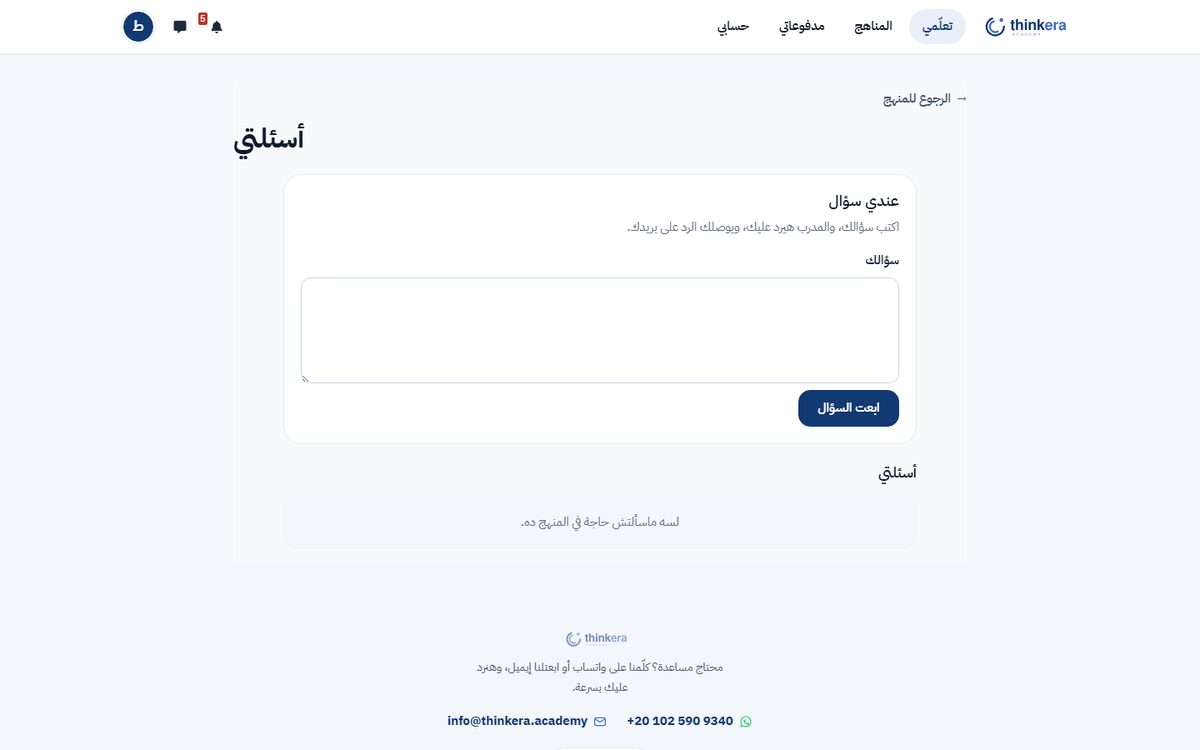
لما تحتاج بني آدم مش موديل.
٨ · حسابك
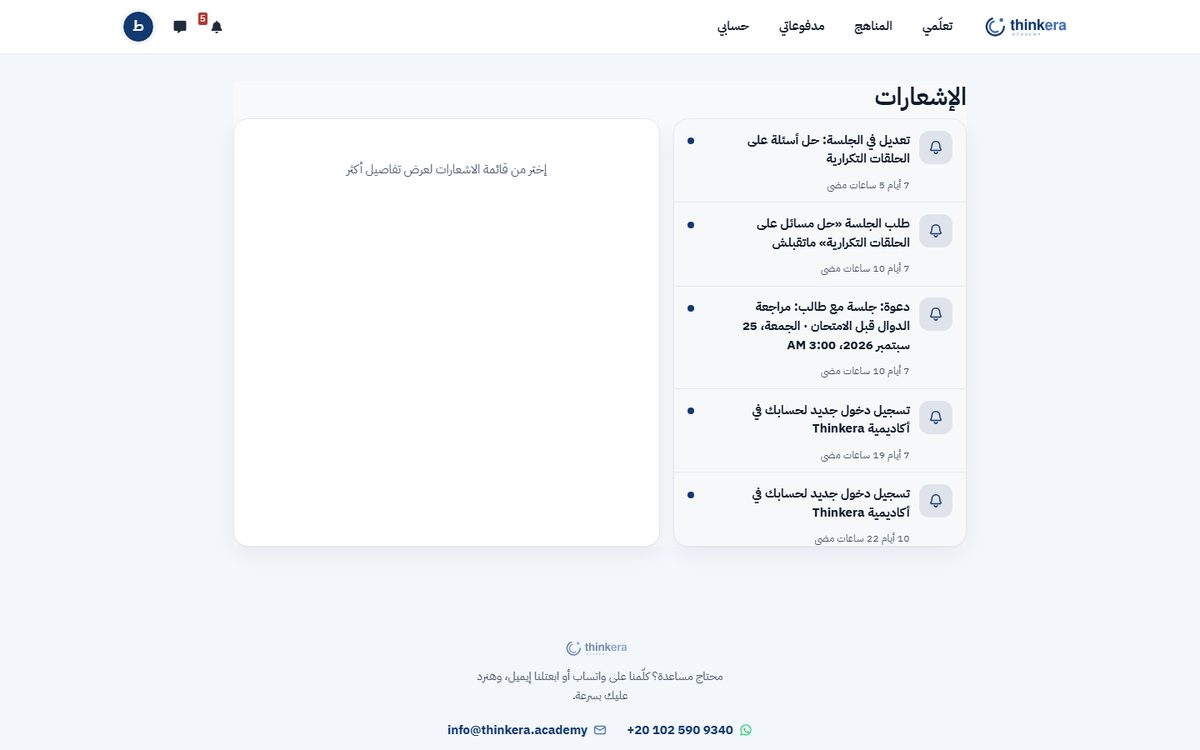
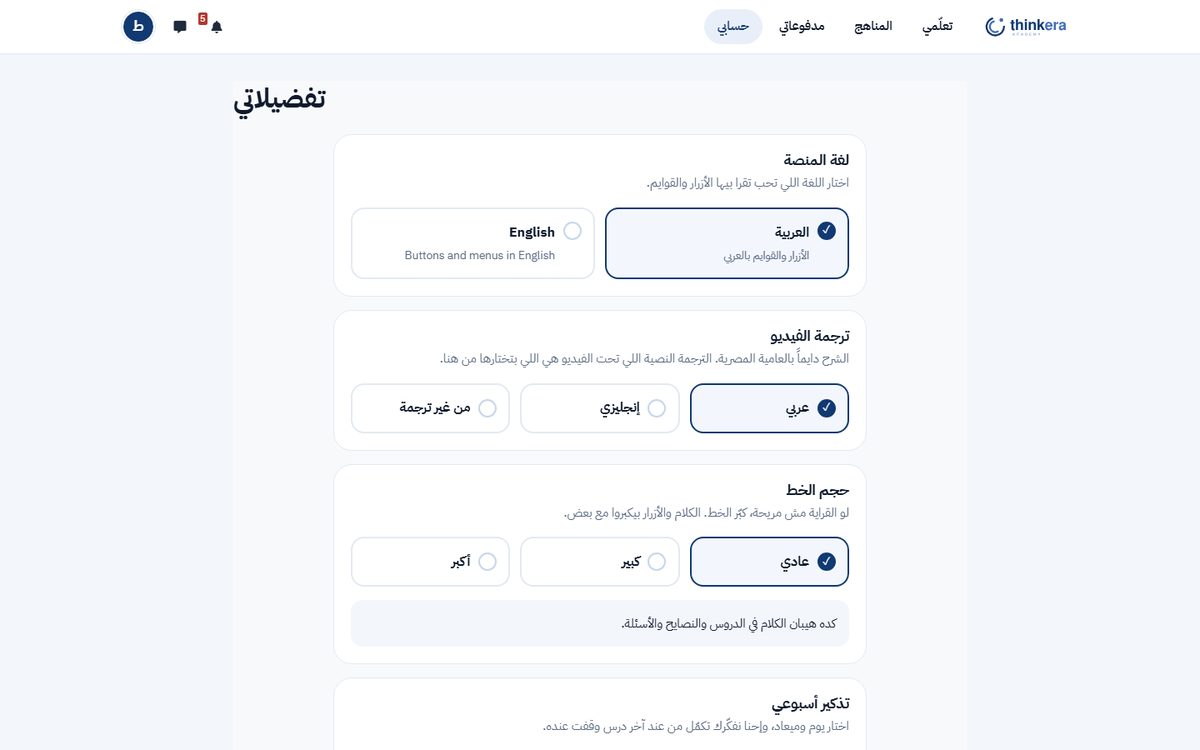
أربع صفحات، كل واحدة بتعمل حاجة واحدة.
| الصفحة | بتعمل إيه |
|---|---|
| الإشعارات | رد على سؤالك، أو درجة اتأكدت، أو جلسة قربت، أو طلب اتقبل. وكل إشعار بيوديك لمكانه. |
| تفضيلاتي | لغة المنصة، وترجمة الفيديو، وإعدادات العرض. |
| حسابي | اسمك وبياناتك ورقم ولي الأمر. |
| مدفوعاتي | كل عملية دفع وفاتورتها، تقدر تنزّلها. |
٩ · على الموبايل
نفس المنصة، متظبّطة للشاشة الصغيرة.
مش محتاج تنزّل تطبيق. افتح المنصة من متصفح الموبايل وهتلاقي شريط تحت فيه الصفحات اللي بتستعملها، وخطوات الدرس بتبقى قائمة واحدة بتختار منها، والمساعد الذكي بيفتح من تحت بعرض الشاشة.
١٠ · ابدأ
اعمل حساب مجاني، افتح المنهج اللي يهمّك، وذاكر الوحدة الأولى كاملة من غير ما تدفع. ولو عجبتك الطريقة، تقدر تفتح باقي المنهج من جوّه المنصة.
The student guide
How you study on Thinkera
This guide explains the platform's method, not one course. Every course here — programming, English, management, anything — is built the same way and presented the same way, so what you learn on this page travels with you into every course you open.
The whole of Unit 1 is free, every lesson in it.
What is in this guide
1 · The method
Before the buttons, the principle — it is what explains why the screens look the way they do.
Every course on the platform starts from the official syllabus you are studying: its lessons, its order, its terms. That is the base, and we do not change it. Onto it we add:
The syllabus lessons
Each lesson in the syllabus becomes a full lesson on the platform: a video explanation, files, practice and questions. The order is the syllabus's order and the terms are its terms.
Extra lessons where they are needed
Where the syllabus passes quickly over something you need to understand properly, or assumes a practical skill it never teaches, an extra lesson is added. It is marked in the course, so you always know it is an addition and not part of the syllabus.
Thinking, not memorising
The questions here do not ask you to recall. They ask you to explain, compare and decide. And a model answer states the claim, the reason, the evidence and its limit — not one line to be learnt by heart.
2 · The shape of a course
The same shape in every course: units holding lessons, and an exam at the end of each unit.
The unit
A set of lessons on one subject. Unit 1 of any course is open in full and costs nothing — all of its lessons, not the first one.
The lesson
The thing you actually study in. Inside each one are the four steps in the next section.
Lessons open in order
The next lesson opens when you finish the one before it. That is not red tape: a course builds on itself, and lesson four assumes you know lesson three.
And “finish” means one thing: scoring 75% or more on the lesson's “Practice: Advanced level”. You do not have to open every file or complete every activity — you have to show you can do the hardest practice in the lesson. You get more than one attempt and the best one counts, so if you miss it first time, go back to the explanation and try again.
That is the default, and your trainer may change it for a particular lesson: sometimes a whole unit is asked for before a lesson opens, and sometimes you are given a choice of activities and finishing any one of them is enough. Whatever the condition, the locked lesson itself tells you exactly what you are waiting on — tap it and read the line.
The end-of-unit exam
Once the unit's lessons are done its exam opens, at more than one level, timed and marked.
3 · A lesson's four steps
Every lesson in every course is presented in the same four steps, and you move between them from the bar at the top.
4 · The AI assistant
A button floating in the corner of the page, which opens a chat box that answers from your own course's lessons.
What makes it different from any other chatbot is that it searches inside your course first, and tells you where the answer came from. That happens in three steps:
What it actually does for you
Explains a part you did not follow
Ask with the lesson's own words: what does this mean, what is the difference between these two, give me an example. The answer comes from the lesson's own explanation, with its source underneath.
Takes you to the right lesson
If the answer is in a different lesson, it names that lesson and offers to open it for you — instead of leaving you to search the whole course.
Works while you study
The box opens over the page, so you can ask in the middle of a video or a file without leaving your place.
And things it does not do
- It does not sit your quiz. Give it an exam question word for word and it will explain the idea; the answer is still yours to write.
- It does not invent. What is not in the course is reported as not in the course, not made up.
- It does not leave the course on its own. That takes a press from you, and the answer comes back labelled as being from outside.
Your privacy: the model that answers you runs on the academy's own server, not on an outside service. What is recorded is that a request happened and how long it took — never your question and never your answer.
Worth remembering: the assistant helps you understand; it does not answer for you. The answer you write in a quiz has to be yours — that is what is being marked.
5 · Practice and marks
How your answer is marked, and when the mark reaches you — and this has changed: a written answer is now marked while you wait.
Multiple choice
You see the result straight away, with a note on every option: why the right one is right, and why each wrong one is wrong. The options are in the language of the question itself — an English question is answered True / False, an Arabic one «صح / خطأ».
Written answers: the Check button
A written question now works like every other one: you write your answer and press Check. The answer is handed in and the AI reads it in front of you, against the model answer and the mark scheme written for that question. A bar shows how far along it is, and the answer usually comes back in about fifteen seconds.
When it is sure: your mark, at once
If the model is 95% sure or more of its own marking, the mark is worked out and shown to you there and then, with the feedback — and it waits for nobody to confirm it. So you carry on practising knowing where you stand, and take another attempt instead of losing a day waiting.
When it is not: your instructor
Below that, no mark is given — deliberately: a number the model is unsure of is worse than no number. You are told that your instructor will read this answer themselves and mark it, and that it will reach you when they have.
While you are working through a quiz: the buttons under the question read previous question and next question, and between them sits one that does both at once — answer and go to the next question — checking what you wrote and moving you on in a single press.
And interactive practice sits under the quizzes, behind a link inside the practice step: activities to work through at your own pace, with no mark attached.
6 · Your progress
Your home page opens on the only question that matters: where do I carry on?
7 · Questions and sessions
For when you need a person rather than a model.
8 · Your account
Four pages, each doing one thing.
| Page | What it does |
|---|---|
| Notifications | A reply to your question, a confirmed mark, a session about to start, a request accepted. Each one takes you to where it happened. |
| Preferences | The interface language, video subtitles, and display settings. |
| Account | Your name, your details and your guardian's number. |
| Payments | Every payment with its invoice, ready to download. |
9 · On a phone
The same platform, fitted to a small screen.
There is nothing to install. Open the platform in your phone's browser: a bar at the bottom holds the pages you use, a lesson's steps become one list you pick from, and the assistant opens across the bottom of the screen.
10 · Start
Create a free account, open the course you care about, and study the whole of Unit 1 without paying. If the method suits you, you can unlock the rest of the course from inside the platform.